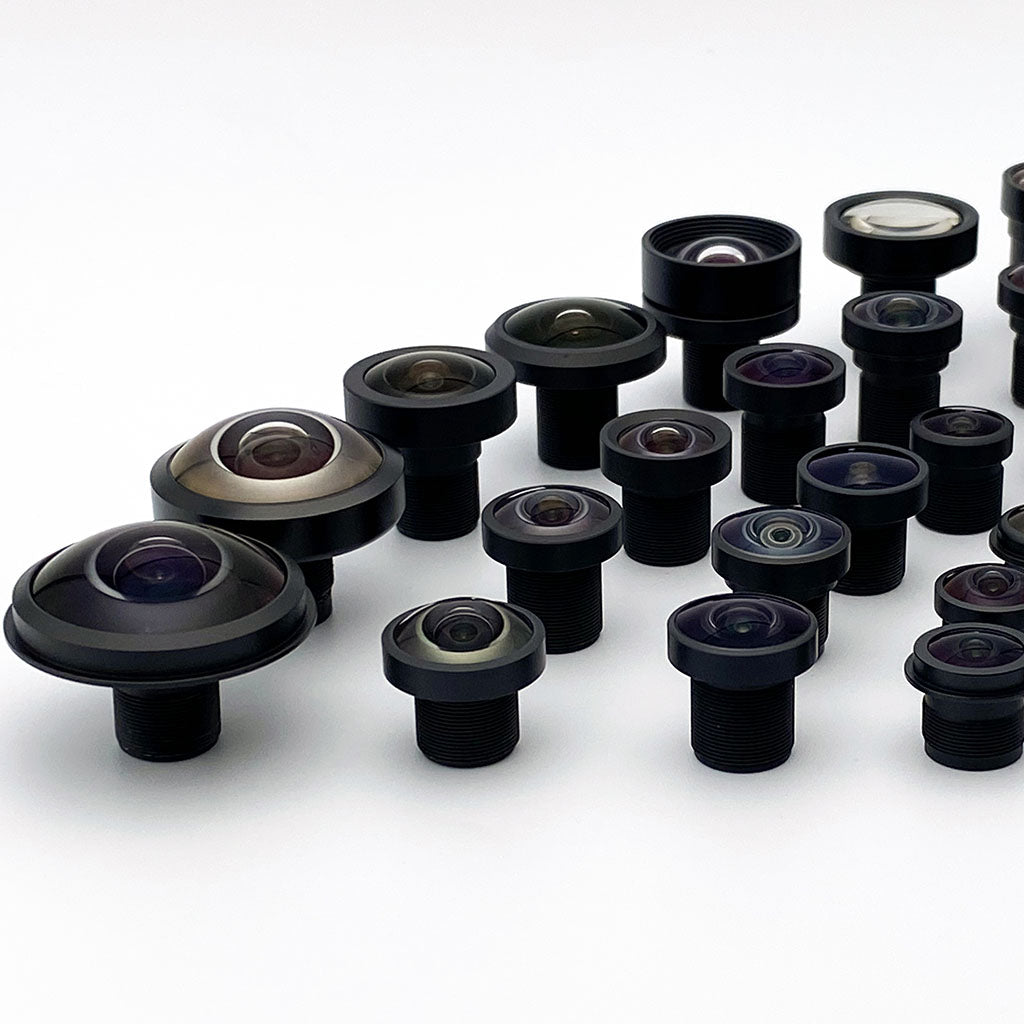

Commonlandsのエンジニアリングツール
Connect Your AI Assistant to Commonlands
Find a lens for your camera by telling your assistant which sensor you use and the field of view you need. Connect Commonlands once, then ask it to compare lenses, calculate field of view, and check current prices. No Commonlands account or API key is required.
- Open your assistant’s MCP server or connector settings and add Commonlands.
- Paste this server URL: https://mcp.commonlands.com/mcp.
- Enable the connection in your conversation, then paste the request below.
Help me choose a lens using Commonlands MCP. Start by asking for my image sensor model. If I do not know it, ask for its horizontal and vertical pixel counts and pixel pitch. Then ask for my required horizontal and vertical field of view, or the area I need to see and its distance from the camera. Use Commonlands MCP to find suitable lenses and calculate their field of view with lens distortion accounted for. Explain the sensor coverage and any calculation limits. Check the selected variant’s current price and availability before recommending it. Ask before creating a cart or sending a quote request.
Pasting a URL into chat does not install a connection. For help, follow the setup instructions for your app below.
Connect in Your Assistant
Commonlands はリモート MCP サーバーです。HTTPS エンドポイントが 1 つあり、API キーもサインインも不要です。アシスタントに追加してから、普段使っているような自然な英語でレンズをリクエストしてください。
https://mcp.commonlands.com/mcp
クリックして選択し、コピーしてください
Claude(Web、デスクトップ、モバイル)
- Open Claude Connectors, then choose + Add → Add custom connector.
- Name it Commonlands. Paste https://mcp.commonlands.com/mcp as the remote server URL and choose No sign in.
- Finish adding it and enable Commonlands in your conversation. Then ask: “Find an M12 lens for an IMX477 sensor at 70° horizontal field of view.”
Workspace permissions can affect setup. See Claude’s custom connector guide if your options differ.
クロード・コード
- ターミナルでこの1行を実行してから、Claude Codeを起動してください:
claude mcp add --transport http commonlands https://mcp.commonlands.com/mcpCodex やその他の CLI エージェントは、同じエンドポイントを使用します。これを HTTP MCP サーバーとして追加してください。
Cursor Desktop
- On the computer where Cursor is installed, click below and approve the server in Cursor desktop:
Add Commonlands to Cursor Desktop
This button opens the desktop app. If it does nothing, add the configuration below to Cursor’s mcp.json, then reload Cursor.
ChatGPT
- Open ChatGPT Plugins on the web. Select + → Add custom MCP server.
- Name it Commonlands. For the server URL, paste https://mcp.commonlands.com/mcp. Select No authentication.
- Review the connection, create and install the plugin, then select @Commonlands in your conversation. Ask for a lens and review tool approvals when prompted.
Workspace restrictions can affect access. Follow OpenAI’s custom MCP setup guide if your interface differs.
Zed、Continue、その他 mcp.json クライアント
- クライアントのMCP設定にサーバーを追加し、再起動してください:
{
  "mcpServers": {
    "commonlands": {
      "url": "https://mcp.commonlands.com/mcp"
    }
  }
}
Zedは以下を使用します "context_servers" ~の代わりに 「mcpServers」; URLは同じです。
成功したかどうかを確認する方法
You should see Commonlands lens search, sensor matching, and field-of-view tools. Ask “what Commonlands tools do you have?” If the tools appear, you’re connected. Then try one of the example questions.
トラブルシューティング
- ツールは表示されません: URLがで終わることを確認してください
/mcp, その後、クライアントを再読み込みしてください。 - ブラウザで「接続に失敗しました」と表示される場合: エンドポイントはJSON-RPCに応答します
投稿のみ。単なるアクセスでは405が返されます。これは想定通りです。 - APIキーやログイン情報の入力を求められた場合:サーバーは公開されているため、いずれも不要です。認証ヘッダーはすべて削除してください。
- Read-only agent that cannot POST: use the public catalog and product links below.
読み取り専用エージェント? POSTアクセス不可?
Read the live product catalog without an MCP connection. For a selected full SKU, use https://mcp.commonlands.com/products/{full-SKU}; append ?format=markdown for a readable summary. These routes read Shopify and do not cache product responses. Follow pagination to see the full catalog. They do not calculate sensor-specific field of view; use Commonlands MCP or the 視野計算ツール for that step.
Commonlands MCPサーバーとは何ですか?
The Commonlands MCP server lets an AI assistant work with Commonlands lens data instead of guessing. It can search M12 and C-mount lenses, match lenses to image sensors, run Commonlands field-of-view checks, compare candidates, report each lens's weight and mechanical dimensions, read live product details, and prepare a Shopify checkout link after you confirm the exact line items and quantities.
Use it for a shortlist grounded in live lens calculations and Shopify product reads. Keep any sensor reference fallback clearly labelled. The raw MCP surface exposes 21 tools. Cart tools can create, read, update, and cancel carts. Checkout tools prepare a Shopify link and read checkout status. You review and pay on Shopify; the Commonlands MCP server does not submit payment or place an order.
/mcp
稼働中の工具:21
カート:購入者による受取確認済み
Checkout: review and pay on Shopify
主な用途:M12およびCマウントレンズの選定
尋ねてみてもいい質問
アプリケーションエンジニアに尋ねるように質問してください。アシスタントは、必要なツールを呼び出し、そのソースを表示し、次に安全に実行できる手順を説明するはずです。
- 1/2.8インチセンサー用で、水平画角が約80度のM12レンズを探し、その結果をCommonlandsの画角計算ツールで確認してください。
- ロボット用カメラの用途において、CIL078とCIL250を比較します。比較項目には、M12マウントへの適合性、Cマウントの代替品、視野角、歪みに関する注意事項、および製品ページに掲載されている実際の仕様が含まれます。
- 1/1.8インチセンサーを用いた低歪みのマシンビジョンには、Commonlands社のレンズをお勧めします。
- Resolve CIL250 to its current Shopify variants and show me the full SKUs before I choose one.
- CIL078レンズ2個分のカートを用意してください。具体的な実機モデルと数量を確認した後、続行用のURLを教えてください。
有用な回答にはどのような内容が含まれるか
A good answer gives the part number and the reason behind it: sensor geometry, image-circle fit, calculated field of view, distortion status, missing engineering evidence, current variant price and stock, and the next step. That path may be product-page review, cart review, or engineering review.
どんな質問ができるか
Talk to it like you would a Commonlands applications engineer. Most tools only read data. Cart changes, checkout preparation, and sending a quote request require your confirmation.
自分のセンサーにはどのレンズが適していますか?
「水平画角70°のIMX477センサー用M12レンズを探してください。」
センサー(画素数とピッチ)の情報を読み取り、ライブ視野角とイメージサークルのカバー範囲に基づいてレンズをランク付けします。
どのくらいの視野が得られるのでしょうか?
"What field of view does CIL353 give on an IMX477 sensor?"
It calculates horizontal, vertical, and diagonal field of view for that lens and sensor, with coverage and distortion status.
在庫はありますか?また、価格はいくらですか?
「CIL250のリアルタイム価格と在庫状況を表示してください。」
It resolves the lens family to full variant SKUs, then reads current Shopify price and stock quantities for your selection.
見積もりを依頼したり、技術者に質問したりすることはできますか?
「私のIMX477プロジェクト向けに、50ユニットの見積もりをコモンランズに依頼してください。」
It shows you a preview with your question, part numbers, and reply-to email. It sends the inquiry only after you approve that preview.
接続パターン
このサーバーをリモートHTTPS MCPエンドポイントとして使用します。公開ツールインターフェースでは、顧客のAPIキーは必要ありません。クライアントがコマースディスカバリーに対応している場合は、UCPプロファイルをカタログディスカバリーのメタデータとして読み取ってください。生のMCPを使用します。 ツール一覧 21種類のツールすべてを利用するには。スモークテストを行う際は、通常のクライアントユーザーエージェントを使用し、JSONまたはサーバー送信イベントを許可するacceptヘッダーを指定して、JSON-RPCリクエストを送信してください。
接続に関する注意事項
GET /mcp MCPエンドポイントがJSON-RPCを期待しているため、405が返されます 投稿. もしアシスタントが推測した場合 https://commonlands.com/api/mcp, 正規のエンドポイントを使用してください https://mcp.commonlands.com/mcp for Commonlands optics. Shopify’s merchant UCP endpoint is a separate service at https://commonlands.com/api/ucp/mcp. If an assistant receives a connection-level 403, check the user-agent and accept headers before debugging the payload.
リクエストの初期化
curl https://mcp.commonlands.com/mcp \
  -H 'content-type: application/json' \
  -H 'accept: application/json, text/event-stream' \
  -H 'user-agent: your-mcp-client/1.0' \
  --data '{
    "jsonrpc": "2.0",
    "id": 1,
    "method": "initialize",
    "params": {
      "protocolVersion": "2025-11-25",
      "capabilities": {},
      "clientInfo": {
        "name": "your-agent",
        "version": "1.0"
      }
    }
  }'
クライアントの現在のプロトコルリビジョンを送信してください。サーバーはバージョンをネゴシエートし、現在は次のように応答します。 2025-11-25; serverInfo carries the deployed version shown in the status card.
現在入手可能なもの
Live MCPツール
Search, lookup, sensor specs, field-of-view calculation, lens comparison, application recommendations, engineering requirement checks, exact-variant purchase options, live product reads, cart create/read/update/cancel, checkout preparation and status, and RFQ submission. Live lens records expose weight, maximum diameter, flange distance, and MBFL when available.
エンドポイント
アシスタントを以下に接続する https://mcp.commonlands.com/mcp. UCPプロファイルは、カタログ検索に役立つメタデータですが、すべての生のMCPツールを掲載しているわけではありません。
Checkout Tools
create_checkout prepares a Shopify checkout link. get_checkout reads its status with the returned access token. The customer reviews and pays on Shopify.
Cart Tools
create_cart, get_cart, update_cart、および cancel_cart manage buyer-confirmed items using live Variant GIDs. Keep the cart ID and access token for later calls.
製品のラベルを確認してください
Production lens search, matching, comparison, and lens-specific FoV use the live optics backend. If that backend fails, the server returns an error instead of substituting a fixture lens. Product resolution, price, and inventory come from Shopify. Optical-family specifications and purchasable variant data remain separately attributed.
Sensor lookup can return a labelled reference fallback. Check get_sensor_specs or the sensor source in assess_lens_requirements before calling those inputs live. Distortion may be calculated, display-only, or unavailable; report the returned status. Missing MTF, chief ray angle (CRA), or other engineering evidence is unknown, not a pass.
使用方法 resolve_lens_product to select a full Shopify variant SKU, then get_purchase_options for the requested quantity. Each product or purchase-options call reads the Shopify backend again. Legacy product aliases now route to live reads; old purchase-handoff tools are retired. requireInStock in optical ranking is not a verified stock check, and a product read reserves no inventory.
Commonlandsの視野ツールの使用方法
M12およびCマウントの視野角を次のように計算します。 レンズとセンサーの適合 (カタログ全体、センサーごと;「このセンサー用のレンズ」というリクエストにはこちらを推奨)または 視野角の計算 (one lens and sensor). Lens-specific calculations use the authenticated live FoV backend. Start with the sensor dimensions and required field of view. Use the server’s distortion-aware calculation for the selected lens and sensor, and report its coverage and limitations.
これは、広角レンズや魚眼レンズにおいて特に重要です。これらのレンズの場合、薄レンズモデルや不完全なカンナラ・ブラントの推定値では、イメージサークルのクリッピング、投影挙動、および製品固有の歪みが考慮されません。ウェブ上の画角計算ツールは、人間についても同様のモデルを採用しています。
Additional Calculation Resources
Use the web calculators for calculations beyond the current MCP contract. Check the connected server’s tool list for new capabilities.
角度分解能
1度あたりのピクセル数は、すでに 視野角の計算 そして レンズとセンサーの適合 視野角に加え、以下のデータから得られるリアルタイムの画素数および画素ピッチを用いて get_sensor_specs. ウェブ計算機は、それを人間が理解しやすい形に変換しています。
被写界深度の計算
被写界深度計算ツールを使用して、ピント範囲、ハイパーフォーカル距離、被写界深度、および絞り値のトレードオフを推定してください。
被写界深度計算ツールを開く有効焦点距離の計算
焦点距離計算ツールを使用して、センサーサイズや希望する画角に合わせて必要なレンズの焦点距離を推定してください。
焦点距離計算ツールを開く推奨されるワークフロー
- Start with the image sensor. Ask for its model, then use
get_sensor_specsto check pixel counts and pixel pitch. If the model is unknown, ask for those details or the active sensor width and height. Keep any fixture fallback labelled. - Ask what the camera needs to see. Establish the required horizontal and vertical field of view, or the target width, height, and working distance. Clarify which dimensions are fixed before selecting a lens.
- 使用方法
レンズとセンサーの適合to find candidates, then視野角の計算to check each final lens/sensor pair through Commonlands MCP. Use the server’s distortion-aware results and sensor-coverage notes. Report unavailable calculations rather than replacing them with a hand calculation. - Explain the returned horizontal, vertical, and diagonal field of view, clipping, and distortion status. A display-only distortion value is not a measured correction profile. Verify the vertical requirement as well as the horizontal target.
- 使用方法
assess_lens_requirementsfor explicit FoV ranges, coverage, mount, and supported distortion or mechanical limits. Report satisfied, failed, and unknown checks. Missing engineering data needs confirmation; a passing optical-family check does not qualify every Shopify variant. - Resolve the lens family with
resolve_lens_product, ask the buyer to select a full variant SKU, then callget_purchase_optionswith that SKU and quantity. Check current Shopify price, online stock, backorder policy, and any unknown commercial terms. - After the buyer confirms items and quantities, prepare a cart and Shopify checkout link, or use the separate supported Shop connection. Keep owner tokens private. For an RFQ, show the preview and obtain approval before sending.
どのツールを使うか
| 必要 | これを使ってください | 有用な結果 |
|---|---|---|
| 広角レンズの発見 | search_lens_catalog |
Live optical records with part number, mount, EFL, F-number, image circle, rated resolution, product URL, and available mechanical fields. Search recognizes M12/S-mount and C-mount/C FA aliases; CS-mount stays distinct. Use レンズとセンサーの適合 for a sensor or FoV target. |
| 商品の正確な検索 | resolve_lens_product |
Current published Shopify products and variants. A lens family can return several configurations; select the full SKU explicitly. The response preserves the matching ProductVariant GID, product URL, price, and inventory fields. |
| センサーの仕様と視野角 | get_sensor_specs, その後 レンズとセンサーの適合 (センサーの検索/順位確認)または 視野角の計算 (レンズ1本とセンサー1個); レンズの比較, get_lens_distortion_profile |
Sensor dimensions, pixel count, pitch, and source; per-sensor HFOV, VFOV, DFOV, coverage, angular resolution, and distortion status. A lens SKU uses the live backend. A focal-length-only input is a labelled rectilinear reference, not a product-specific result. Custom sensor dimensions remain caller-supplied data. |
| Lens mechanical specs | Any live lens tool: search_lens_catalog, レンズとセンサーの適合, レンズの比較, 用途に応じたレンズの推奨, get_lens_distortion_profile, 視野角の計算 |
Available source fields include weight, max_diameter, flange_dist, mbfl、および pixelpitchres. Preserve units and missing values as returned; do not infer reference planes or variant-specific fit. A nominal pixel-pitch rating does not establish measured MTF. |
| Engineering Requirements | assess_lens_requirements |
Checks your stated limits against one optical part and sensor. Returns satisfied, failed, or unknown with evidence and missing data. MTF, CRA, illumination, spectral, mechanical-fit, environmental, and depth-of-field evidence remain unknown until approved structured data is available. |
| 選考通過者リスト | 用途に応じたレンズの推奨 |
A ranked shortlist for an application note such as embedded robotics or low-distortion machine vision. sensorPartNumber is required, and each candidate carries the same field of view, fit, and mechanical fields as レンズとセンサーの適合. |
| 製品の実態をありのままに伝える | read_shopify_products |
Current published Online Store products, exact variant IDs/SKUs, price, media, approved links, and allowlisted metafields when requested. websiteStockQuantity is the aggregate tracked quantity used by website labels; availableQuantity is online sellable stock. Null means unknown or untracked, not zero. Check pageInfo そして metafieldsComplete. |
| カートのレビュー | create_cart, get_cart, update_cart、または cancel_cart |
Cart state, a cart ID, and a cart_access_token the assistant must retain. Subsequent Commonlands MCP cart calls require both values. Keep complete IDs and tokens private. No payment or order is created. |
| Shopify checkout link | create_checkout または get_checkout |
Checkout ID, status, line items, totals, a continue_url, and a checkout_access_token for status reads. Return the link to the customer for review and payment. Checkout creation does not place an order. |
| 引用または質問 | submit_rfq |
Two-step and buyer-confirmed: the first call returns a preview and sends nothing, then a repeat call with confirm: true forwards the RFQ or question to the Commonlands team with the buyer email as reply-to. Sends an inquiry only; never creates an order, takes payment, or writes Shopify data. |
| Price and Stock for a Quantity | get_purchase_options |
Current base price and currency, extended base price, selected-variant stock, and buyer-confirmed cart or RFQ routes. Volume terms can require a quote. Shipping and tax remain unknown unless an authorized matching checkout provides estimates. No cart, order, or inquiry is created by this read. |
Choose How to Continue With Shopify
You only need Commonlands to select lenses and prepare a checkout link. Open that link to review shipping, taxes, and the total, then pay on Shopify.
Let Your Agent Continue Through Shop
If you want your agent to help complete an eligible purchase, add a separate Shop connection at https://mcp.shop.com/. Leave off the /mcp suffix. Follow Shop’s connection instructions, enable it in your conversation, and sign in directly with Shop when requested. Your client must support Shop’s protocol; adding Commonlands does not automatically connect Shop.
After you approve the selected variants and quantities, your assistant can follow the cart’s agent_checkout route in the Shop connection. Choose that route before converting the same cart through Commonlands. Review the current items, delivery, totals, and payment choice before approving a purchase. If Shop cannot complete it, use the returned checkout link. Keep Shop credentials and payment information out of Commonlands.
For Developers: Merchant UCP MCP and Browser WebMCP
Shopify UCP MCP provides merchant catalog, cart, and checkout services. Commonlands currently uses https://commonlands.com/api/ucp/mcp for cart and checkout operations. Integrators must follow Shopify’s discovery, agent-profile, and authentication requirements. The old /api/mcp catalog/cart tools are retired. Commonlands’ product aliases are separate compatibility routes to its live Shopify reader; they do not share the browser WebMCP contract.
Shopify WebMCP exposes browser tools on the shopper’s current page and session in a compatible browser. It is separate from a remote MCP connection. Product reads and variant selection were verified on Commonlands; those checks do not establish payment or order-completion support.
See the Commonlands commerce guide for agent handoff details.
How Shopify Checkout Links Work
Your assistant prepares the checkout. You review the final order and pay on Shopify. This method uses the Commonlands MCP connection you already added; it does not require a separate Shop MCP connection.
Price and Stock for Your Quantity
Ask for get_purchase_options after selecting the full SKU. It reads current Shopify base price and inventory for your quantity. Base-price arithmetic excludes discounts, shipping, and tax; quantities above one currently require a quote for volume terms until a published tier is verified.
- For an eligible agent-completed purchase, use the buyer’s separate supported Shop connection and its authorization steps.
- For customer checkout, prepare a Shopify link after item and quantity confirmation. Review final shipping, taxes, discounts, and total there before paying.
Confirm Your Items
Ask your assistant to check current product options and availability, then confirm the exact variants and quantities you want. It creates a cart from those confirmed items.
Get a Checkout Link
The assistant converts your cart into a Shopify checkout and gives you its checkout link. Creating this link does not charge a card, place an order, or reserve inventory.
Review and Pay on Shopify
Open the link, check the items and quantities, enter your delivery details, and review shipping, taxes, and the final total. Enter payment details on Shopify and submit your order there. Use Shopify's order confirmation as proof of purchase.
Prepare a Shopify checkout link for the Commonlands products and quantities I confirmed. Show me the items and the link. I will review shipping, taxes, and the final total and pay on Shopify.
For Agent Integrations
For a buyer-authorized order through Shop MCP, follow the cart's agent_checkout.next_call in the buyer's connected Shop MCP. Choose that route before calling Commonlands create_checkout, which consumes the cart. If the supported agent checkout connection is unavailable, use the checkout-link method below.
Resolve live Variant GIDs with resolve_lens_product and verify the chosen SKU and quantity with get_purchase_options. After create_cart, retain the cart ID and cart_access_token. Call create_checkout ~と checkout.cart_id and that token, then return checkout.continue_url to the customer. Conversion consumes the cart; use the returned checkout ID and checkout_access_token ~と get_checkout for later status reads.
An incomplete checkout can be waiting for contact, shipping, or payment details. A requires_escalation status directs the customer to continue on Shopify. Neither status means an order was placed. Report errors as errors; do not invent a link or claim payment succeeded. If a link expires, ask the customer before preparing a replacement.
Keep complete Shopify IDs, access tokens, and checkout links private. Commonlands MCP verifies the matching token on follow-up calls; Shopify and other integrations enforce their own access rules. Enter payment and delivery details on Shopify, not in Commonlands MCP tool arguments.
カートの積載量に関する規則
Cart tools are strict on purpose. A successful cart call starts with live product truth, not fixture catalog output. The item ID must be a full ProductVariant GID returned for the selected SKU by resolve_lens_product または read_shopify_products. Carts are also owner-bound: create_cart returns a cart_access_token, and reads, updates, cancellation, and checkout conversion need both the cart ID and that token.
- Use the exact
gid://shopify/ProductVariant/…from the live response; do not copy an example ID. - 不正なID:SKU、フィクスチャID、製品GID、数字のみのバリエーションID、および引き継ぎ専用フィクスチャ識別子。
create_cart受け入れるcart.line_itemswith quantity and item ID, and returns acart_access_tokenalongside the Cart GID.get_cart,update_cart、およびcancel_cartrequire the full returned cart ID そして the matchingcart_access_tokenthrough Commonlands MCP.update_cartreplaces the completecart.line_itemslist. Include every line you want to keep, preserve returned line IDs, and supply the new quantities. An empty list removes all items. It does not submit payment.
What Has Been Tested
A live test resolved CIL250 from Shopify, created and read a cart, changed the quantity, created a checkout link, and read the checkout status. The link opened Shopify checkout with the correct variant and quantity, delivery fields, and payment options. The disposable checkout was canceled afterward. This verifies checkout preparation and the browser handoff. It does not verify a paid order, payment processing, or fulfillment.
コピー&ペーストの例
サービスの状態を確認する
curl -s \
  https://mcp.commonlands.com/healthz
ディスカバリー・プロフィールを読む
curl -s \
  https://mcp.commonlands.com/.well-known/ucp
利用可能なツールの一覧
curl -s -X POST \
  https://mcp.commonlands.com/mcp \
  -H 'content-type: application/json' \
  --data-binary '{
    "jsonrpc": "2.0",
    "id": 1,
    "method": "tools/list",
    "params": {}
  }'
Search the Live Lens Catalog
{
  "jsonrpc": "2.0",
  "id": "search-m12",
  "method": "tools/call",
  "params": {
    "name": "search_lens_catalog",
    "arguments": {
      "query": "M12",
      "limit": 5
    }
  }
}
レンズをセンサーに合わせて選ぶ
{
  "jsonrpc": "2.0",
  "id": "imx477-match",
  "method": "tools/call",
  "params": {
    "name": "match_lens_to_sensor",
    "arguments": {
      "sensorPartNumber": "IMX477",
      "desiredHorizontalFovDeg": 70,
      "mount": "M12",
      "maxResults": 3
    }
  }
}
Find a Wide-Angle Candidate
{
  "jsonrpc": "2.0",
  "id": "imx477-wide-match",
  "method": "tools/call",
  "params": {
    "name": "match_lens_to_sensor",
    "arguments": {
      "sensorPartNumber": "IMX477",
      "desiredHorizontalFovDeg": 150,
      "maxResults": 3
    }
  }
}
Read the returned FoV, coverage, distortion status, and tradeoffs. A requested 150° target is not a guarantee of a matching lens. Rankings and catalog records can change.
センサーの画素数とピッチを取得する
{
  "jsonrpc": "2.0",
  "id": "imx477-sensor",
  "method": "tools/call",
  "params": {
    "name": "get_sensor_specs",
    "arguments": { "partNumber": "IMX477" }
  }
}
センサーの寸法、解像度(ピクセル数)、およびピクセルピッチを返します。例:4056 × 3040 ピクセル、1.55 µm。これらは視野(FoV)ツールの入力として使用し、視野を手計算するために使用しないでください。
1つのレンズとセンサーの視野角
{
  "jsonrpc": "2.0",
  "id": "cil250-imx477-fov",
  "method": "tools/call",
  "params": {
    "name": "calculate_field_of_view",
    "arguments": {
      "lensSku": "CIL250",
      "sensorPartNumber": "IMX477"
    }
  }
}
HFOV、VFOV、DFOVのリアルタイム値を、明示的な直線投影法との比較および歪みの状態とともに返します。供給 焦点距離(mm) instead of a SKU only for a clearly labeled rectilinear reference. Without a sensor part number, pass widthPx, heightPx、および pixelSizeUm; the response is labelled CUSTOM-1920x1080.
製品の真実をリアルタイムでチェック
{
  "jsonrpc": "2.0",
  "id": "cil250-live-read",
  "method": "tools/call",
  "params": {
    "name": "read_shopify_products",
    "arguments": {
      "sku": "CIL250",
      "limit": 1,
      "includeMetafields": true
    }
  }
}
製品ハンドルで読み込む
{
  "jsonrpc": "2.0",
  "id": "cil250-handle",
  "method": "tools/call",
  "params": {
    "name": "read_shopify_products",
    "arguments": {
      "handle": "telephoto-25mm-m12-lens-cil250",
      "limit": 1
    }
  }
}
Choose a Full Variant SKU
{
  "jsonrpc": "2.0",
  "id": "cil250-variants",
  "method": "tools/call",
  "params": {
    "name": "resolve_lens_product",
    "arguments": { "sku": "CIL250" }
  }
}
A family can have several filter or mechanical configurations. Ask the buyer to select a returned full SKU before checking purchase options.
Check an Engineering Requirement
{
  "jsonrpc": "2.0",
  "id": "cil353-requirements",
  "method": "tools/call",
  "params": {
    "name": "assess_lens_requirements",
    "arguments": {
      "lens_sku": "CIL353",
      "sensor": "IMX477",
      "requirements": {
        "horizontal_fov_deg": { "min": 68, "max": 74 },
        "full_sensor_coverage": true,
        "require_evidence": ["mtf"]
      }
    }
  }
}
Replace these illustrative limits with your requirements. Missing MTF evidence returns unknown and needs confirmation; a passing FoV check is not full lens qualification.
カートの引き継ぎを作成する
{
  "jsonrpc": "2.0",
  "id": "create-cart",
  "method": "tools/call",
  "params": {
    "name": "create_cart",
    "arguments": {
      "cart": {
        "line_items": [
          {
            "quantity": 2,
            "item": { "id": "gid://shopify/ProductVariant/12345678901" }
          }
        ],
        "context": {
          "address_country": "US",
          "address_region": "CA"
        }
      }
    }
  }
}
Prepare a Shopify Checkout Link
{
  "jsonrpc": "2.0",
  "id": "prepare-checkout",
  "method": "tools/call",
  "params": {
    "name": "create_checkout",
    "arguments": {
      "cart_access_token": "TOKEN_FROM_CREATE_CART",
      "checkout": {
        "cart_id": "FULL_CART_ID_FROM_CREATE_CART"
      }
    }
  }
}
Replace the placeholders with the values returned by create_cart. Return checkout.continue_url to the customer. Keep the checkout ID and checkout_access_token for status reads. This call does not submit payment.
Read Checkout Status
{
  "jsonrpc": "2.0",
  "id": "read-checkout",
  "method": "tools/call",
  "params": {
    "name": "get_checkout",
    "arguments": {
      "id": "CHECKOUT_ID_FROM_CREATE_CHECKOUT",
      "checkout_access_token": "TOKEN_FROM_CREATE_CHECKOUT"
    }
  }
}
Use the checkout token, not the cart token. An incomplete status means the checkout still needs information before a purchase can be completed.
Check Price and Stock for a Quantity
{
  "jsonrpc": "2.0",
  "id": "cil250-purchase-options",
  "method": "tools/call",
  "params": {
    "name": "get_purchase_options",
    "arguments": {
      "sku": "CIL250-F2.0-M12ANIR",
      "quantity": 2
    }
  }
}
Use a full SKU returned by live resolution. This example is not a stock claim or a volume quote. The call does not create a cart or send an inquiry.
Sensor Specs and Their Source
get_sensor_specs reads a live, read-only sensor table (with fixture fallback), so it covers many image sensors rather than a fixed handful. For a part number it returns the manufacturer, the active-area dimensions, the 画素数 (resolution width × height), the ピクセルピッチ in microns, and the shutter type. For example, IMX477 returns 4056 × 3040 px at 1.55 µm.
その仕様を レンズとセンサーの適合 または 視野角の計算 センサー固有の視野角および1度あたりの画素数については、ピクセルピッチとEFLから視野角を手計算しないでください。センサーの情報が記載されていない場合は、データシートからその有効領域の寸法を確認し、 視野計算ツール、その結果には「計算機による算出」というラベルを付ける。
ライブプローブが捉えたもの
The November 23, 2026 read-only checks below describe the live server at that time. Refresh its health, tools, and product reads before relying on current availability. No order or RFQ was submitted in these checks.
/healthzreturned production v0.4.4, commit6bb157b. A registry listing can carry an older metadata version while pointing to this same running endpoint. Use health andツール一覧for deployed capabilities.- ディスカバリー・プロフィール:
/.well-known/ucp返されたエンドポイントhttps://mcp.commonlands.com/mcp~とcatalog.search,catalog.lookup,カート、およびcheckoutcapabilities. The profile does not enumerate every raw MCP tool; useツール一覧全面にわたって。 ツール一覧returned 21 tools, includingresolve_lens_product,get_purchase_options、およびassess_lens_requirements.- A C-mount catalog query returned live records using the normalized mount alias. Mechanical fields must retain their source units; missing or unitless evidence is not a passed engineering check.
- センサーおよび光学系の検索:
get_sensor_specsreturned IMX477 as a Sony rolling-shutter sensor, 4056 × 3040 px at 1.55 µm pixel pitch, from the live sensor table, andレンズとセンサーの適合ライブバックエンドから返されたセンサーごとの視野角(出典: aws-lambda-dynamodb-readonly)、アシスタントが作成した1行の計算ツールではありません。 - CIL250 resolved to multiple current Shopify variants. The buyer must select the full SKU before price and stock become a purchasing recommendation.
ライブリードを過大評価してはいけません
Product reads verify current Shopify identity, variants, price, stock, and public specifications. assess_lens_requirements checks requested optical constraints and names missing evidence. Neither a successful read nor a passed subset of checks establishes full engineering qualification.
ライブ製品フィールドの解釈方法
Use read-only product tools when an assistant needs current product-page identity, live variant IDs, price signals, or metafield evidence. Prepare a cart or checkout link only after explicit buyer intent. Use the returned Shopify checkout link for customer review and payment.
- まずは主要な商品フィールド(タイトル、ハンドル、商品URL、タイプ、ベンダー、タグ、メディア)を使用してください。
- Use variant fields for the full SKU, title, price,
websiteStockQuantity、およびavailableQuantity. Do not sum different variants. CheckavailableForSaleそしてcontinueSellingWhenOutOfStock; backorder permission does not establish a lead time. - 使用方法
custom.*光学仕様、互換性に関するコンテンツ、技術資料、製品ページの各セクション、および短縮部品番号用のメタフィールド。 - ショッピングチャンネル、SEO、レビュー、アプリのメタフィールドは、主要な技術的根拠としてではなく、診断ツールとして活用してください。
- メタオブジェクトはパブリックなインターフェースには公開されません。allowlisted を使用してください。
custom.*製品メタフィールドはread_shopify_productsその代わりに。
ハンドルからの商品ページ
返品された商品にハンドルが付いている場合 望遠レンズ-25mm-M12-CIL250、顧客向けのページは https://commonlands.com/products/telephoto-25mm-m12-lens-cil250. 返却されるものを希望します productUrl 存在する場合、すでに正規化され、許可リストに登録されているため。
便利なコモンランドのメタフィールド
いつ read_shopify_products メタフィールドを返します。これらは、アシスタントが最初に認識すべきフィールドです。
アイデンティティ
custom.short_partnumber, custom.product_group_id, custom.group_id、および custom.headline_description 商品ページの言語とCommonlandsの短縮品番を関連付けるのにご協力ください。
光学仕様
custom.efl, custom.f_number, custom.視野角, custom.distortion, custom.image_circle、および custom.compatible_resolution これらはディスプレイの仕様です。計算には、Commonlandsのサーバーサイド光学ツールやウェブサイトの計算ツールをご利用ください。
エンジニアリング資産
カスタム機械図面, custom.mechanical_drawing_alt_text, custom.3d_model、および custom.docsend_page これらはハンドオフまたはアセットフィールドです。非公開のゲート付きドキュメントのURLを公開しないでください。
バリアント
custom.ir_cut_off_filter フィルタ処理済みおよびフィルタ未処理のバリエーションをエンコードできます。例: CIL250-F2.0-M12A650 means the CIL250 family, F/2.0 aperture, M12 mechanics, version A, and 650 nm IR-cut filter.
互換性
custom.compatibility_company_list, custom.compatibility_table_result、また、リストの順序が維持されている場合、関連するURLフィールドにはカメラの互換性に関する説明を表示することができます。
ページの内容
custom.product_long_description, custom.features_titles, custom.機能の説明, custom.faq_questions、および custom.faq_answers その商品ページが伝えようとしていることを説明できます。
回答の書き方
良い表現
- The live matching tool found this candidate. I checked its field of view on your sensor and listed the engineering evidence that still needs confirmation.
- 次の手順として、返された商品URLまたはカートの続行URLをご利用ください。MCPサーバーでは、支払いが完了せず、注文も作成されませんでした。
- The selected full SKU has this price and online sellable quantity as of the returned read time. Inventory is not reserved.
不適切な表現
- この商品は確実に在庫があります。
- 自分で計算スクリプトを作成したので、広角や魚眼レンズの画角はこれで確定です。
- チェックアウトを完了し、カード決済を行い、注文を作成し、顧客情報を登録し、割引を適用し、または在庫を確保しました。
ルール
Name the source and read time, distinguish optical-family data from the selected variant, and preserve unknowns. Cart tools prepare a handoff after buyer confirmation. A checkout link lets the customer review and pay; creating the link does not place an order.
安全と商業の境界
このサーバーは、設計上、控えめな仕様となっています。製品の発見、エンジニアリング面での適合性の確認、および購入者による確認済みのカート情報の引き継ぎを支援します。保護された顧客データには一切アクセスせず、取引の完了も行いません。
- 商品の編集、バリエーションの編集、コレクションの編集、タグの追加、メタフィールドへの書き込み、およびその他のカタログへの書き込みは行われません。
- Use the documented cart and checkout tools only for buyer-confirmed items. Commonlands MCP does not expose
complete_checkoutor accept payment details. - No payment completion, order placement, customer-record access, discounts, gift cards, or inventory reservations. The submit_rfq tool can send a quotation request; it does not accept a quote or commit to a purchase.
- 在庫の予約、在庫の書き込み、および在庫同期の変更はありません。
- Acumaticaへの書き込み、データベースへの書き込み、ダイレクト・ライブ・スキャン、および認証情報の漏洩は一切ありません。
- ゲート付きデータシートの直接URLはありません。
より広範な取引ツールが登場する以前
Commonlandsでは、安定したプロダクションエンドポイントのバインディング、テスト済みの製品およびバリエーションのマッピング、価格と在庫状況の再検証、冪等性、監査ログ、レート制限、顧客データポリシーの見直し、およびカート引き渡し以外の機能へ拡張する前の明示的な承認が必要となります。
質問
Commonlands MCPサーバーとは何ですか?
Commonlands MCPサーバーは、構造化されたM12レンズおよびCマウントレンズのデータ、イメージセンサーのマッチング、視野角の検証、製品ページの検索、カートへの引き継ぎ、および技術レビューへのルーティングを必要とするAIアシスタント向けの公開HTTPSエンドポイントです。
Commonlandsは「エージェント型商取引」をサポートしていますか?
Yes. After you confirm the exact products and quantities, your assistant can create a cart and prepare a Shopify checkout link. You open that link to review the items, shipping, taxes, and final total, then pay on Shopify. Generating a link does not place an order or charge a card. No separate Shop MCP connection is needed for this method.
How Should an Agent Check Quantity Pricing?
Select the full variant SKU, then call get_purchase_options with the requested quantity. It reads current Shopify base price and stock. Volume terms above one unit currently require a quote until a published tier is verified. Base totals exclude discounts, shipping, and tax. Review final checkout totals before paying.
アシスタントは今日、このサーバーを通じて購入できますか?
It can prepare your cart and checkout link after you confirm the products and quantities. You complete the purchase on Shopify. The public Commonlands MCP tools do not submit payment or place an order, even if you tell the assistant to buy. Agent-completed purchases require a separate supported payment integration; they are not part of this checkout-link method.
Is the Catalog Live?
Production lens search, matching, comparison, and lens-specific field-of-view calculations use the live optics backend. Backend failures return errors rather than fixture lenses. Product resolution, price, and inventory read Shopify on each request. Sensor lookup can use a labelled reference fallback; report that source. Legacy product aliases use live reads, and old purchasing handoffs are retired.
Which Tools Should My Assistant Use?
Start with get_sensor_specs, then match_lens_to_sensor and calculate_field_of_view for the sensor and required view. Use assess_lens_requirements to check explicit limits and missing evidence. Resolve the optical family with resolve_lens_product, select a full variant SKU, and call get_purchase_options for current price and stock. read_shopify_products provides public product fields. Use tools/list for the current tool set.
Can someone else read or change my cart if they get the cart ID?
Through Commonlands MCP, cart reads, updates, cancellation, and conversion to checkout require the matching cart_access_token as well as the cart ID. Checkout reads require a separate checkout_access_token. These are bearer credentials, not a customer login. Keep the complete Shopify IDs, tokens, and checkout links private: Shopify and other authorized integrations have their own access rules.
アシスタントは見積もりを依頼したり、技術部門に連絡したりできますか?
Yes, with an explicit confirmation step. The first submit_rfq call sends nothing: it returns a preview of exactly what would go to Commonlands, including the reply-to email. The assistant shows the buyer that preview, and only after the buyer approves does it call again with confirm: true to send. It sends an inquiry only and never creates an order, takes payment, or writes store data. The recipient is fixed to the Commonlands inbox, so an assistant cannot send mail to anyone else.
Can the Server Return a Sensor’s Pixel Count and Pixel Pitch?
Yes. get_sensor_specs returns available dimensions, pixel count, pixel pitch, and source from the live sensor table, with labelled reference fallback. Use the confirmed sensor geometry with match_lens_to_sensor or calculate_field_of_view. If the model is missing, supply active dimensions or pixel counts and pitch; those inputs remain caller-supplied data.
Does It Return Lens Weight and Mechanical Dimensions?
Lens records can include weight, max_diameter, flange_dist, mbfl, and pixelpitchres. Preserve source units and missing values. assess_lens_requirements compares weight or diameter only when the source includes an explicit supported unit. Nominal dimensions and resolution ratings do not establish mechanical fit or measured MTF.
データシートは公開されていますか?
アクセス制限のかかったデータシートのURLは直接返されません。応答には、データシートがアクセス制限されている旨を記載し、アシスタントに対して製品ページへのアクセスパスを案内することができます。
センサーがレンズの像円よりも大きい場合はどうなるのでしょうか?
画角応答により、使用されたセンサーの寸法がレンズの像円に収まらない場合、警告が表示されます。アシスタントは、技術的な検証を経ない限り、これを最終的な適合とみなしてはなりません。
アシスタントは、独自の視野計算ツールを作成すべきでしょうか?
いいえ。アシスタントは、M12およびCマウントの結果を検証するために、CommonlandsのMCPツールまたはCommonlandsの視野計算ツールを使用する必要があります。独自に作成されたスクリプトや不完全なカンナラ・ブラント式による魚眼レンズの近似計算では、歪み、イメージサークルのクリッピング、投影法の仮定、および製品固有の警告を見落とす可能性があります。Commonlandsによる検証を行わない場合、広角および魚眼レンズの視野は誤った値となる可能性が高いです。
技術的なレビューを兼ねたレンズのおすすめはありますか?
構造化された検出および視野の検証には、MCPサーバーを使用してください。カートでの引き渡しは、品目ごとの確認が完了してから行ってください。例外的なケースについては、センサー、視野、作動距離、数量、および候補リストに挙がった部品番号を、Commonlandsのエンジニアリングチームに送信してください。
エンジニアリング部門へのお問い合わせ